A language pair is not available
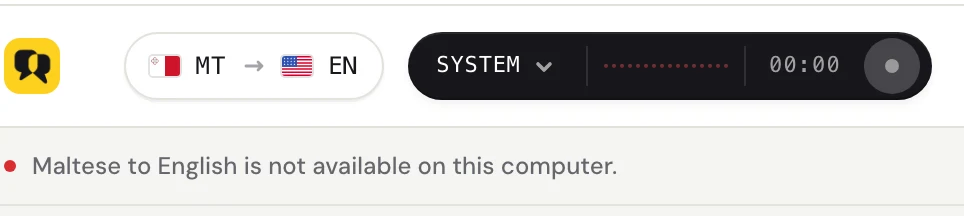
Fraze runs everything on your computer, so it can only offer the languages it has models for, on hardware that can run them. When a pair doesn't work, a line under the header tells you why.
Which computer are you using?
"Not available on this computer"
If you see a line like Portuguese to Japanese is not available on this computer, Fraze has no on-device translation for that pair.
Fraze transcribes 25 European languages plus Chinese, Japanese, Korean, Cantonese, Vietnamese and Thai, and translates about 50 languages to or from English. When two languages have no direct model, Fraze goes through English, but not every combination exists.
Try a different Translate to language, or pick No translation to get captions in the spoken language only.
Mac: add Translation Languages
On macOS 26.4 or later, Fraze can also use Apple's translation for languages such as Japanese, Korean, and Chinese. Those pairs work only after macOS has both languages installed.
Open System Settings > General > Language & Region, then click Translation Languages.
Download both languages of the pair.
Go back to Fraze and pick the pair again.
"Needs a more powerful computer"
Some languages need more memory or a faster processor than this computer has. Fraze tells you before you start, instead of giving you slow or broken captions.
On Windows, Fraze needs at least a 4-core processor with AVX2 and 8 GB of memory. On a Mac, it needs Apple silicon (M1 or later).
Still stuck?
Email us from the support page, or send feedback from the app. Tell us whether you use Windows or a Mac and what you see on screen, and we'll help you sort it out.
Contact support