Keep captions on top of a call or video
The captions window is a small floating window with just the latest captions. Keep it over a call or a video so you can read along without switching windows.
Open the captions window
Set up the languages and audio source first, as in the guides below.
Click the captions window button in the header.

Fraze turns into a small window that shows the last two lines. Drag it by its top edge to wherever you want it.
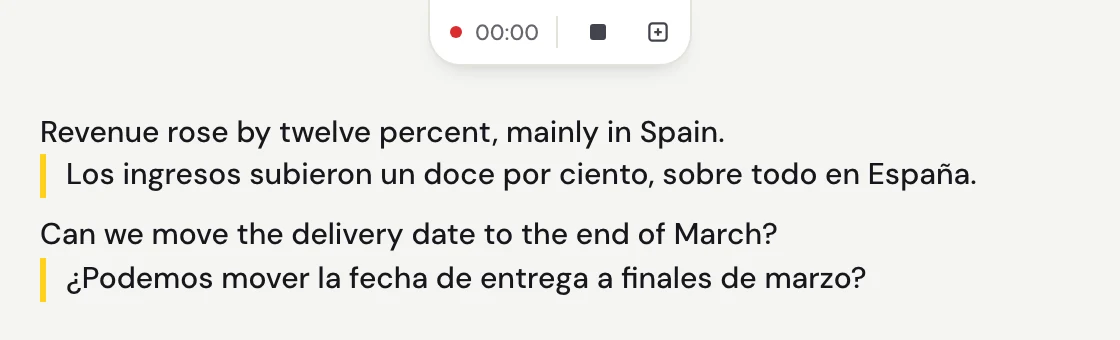
Use the play and stop button at the top to start and stop listening without leaving the small window.
Go back to the full window
Click the square button next to it (Restore full window). Your whole transcript is still there.
Make the text bigger
In the full window, click the sliders button (Text and view) and change Text size. The captions window uses the same size.
Still stuck?
Email us from the support page, or send feedback from the app. Tell us whether you use Windows or a Mac and what you see on screen, and we'll help you sort it out.
Contact support