The short answer
It depends on what you have. If the video has subtitles in another language, the player can often translate them. On YouTube that is Auto-translate, which is free and built in. If you have the file and want English subtitles to keep or publish, an upload site makes them. If you already have a subtitle file, the free subtitle translator on this site translates it in your browser.
If you just want to understand a video while you watch it, Fraze is a Mac and Windows app that listens to what your computer plays and writes the English under each line. It works on any site and in any player, with or without subtitles. Speech recognition and translation both run on your computer. Nothing is uploaded, and once a language is downloaded it works with no internet.
It is text only and works while the video plays. It hears 25 European languages plus Chinese, Japanese, Korean, Cantonese, Vietnamese and Thai. It cannot hear Hindi or Arabic.
Which method fits your video
- It has subtitles, just not in English. Use the player's own subtitle menu. On YouTube, turn captions on and pick English, or Auto-translate if English is not listed. It is free and already there, so try it first.
- It has no subtitles. Something has to listen to the sound. If it plays in a Chrome tab, Chrome's Live Caption and Live Translate can do it, with the caption text sent to Google. Anywhere else, use an app that listens to your computer's audio, like Fraze.
- You have the file and want English subtitles to keep. Upload sites such as HappyScribe, VEED and Kapwing turn a video into a subtitle file or a dubbed copy, on their servers. If you already have a subtitle file in another language, the free Subtitle translator under Tools on this site translates it without uploading it.
- It is live: a stream, a webinar, a match. It has to be translated as it plays, because there is no file to hand over. The live video translation guide linked below covers the options.
- It is on your phone. The YouTube app has the same Auto-translate. On Instagram, a Reel plays translated when its creator used Meta AI translations. For anything else, the Google Translate app can listen through the microphone. Fraze does not run on phones.
What each route can do
| Works on | Needs subtitles or a file | Where it is translated | |
|---|---|---|---|
| YouTube Auto-translate | Videos on YouTube | Needs subtitles | By YouTube |
| Chrome Live Translate | Video in a Chrome tab | Neither | Captions go to Google |
| Windows 11 Live Captions | Any app, on a Copilot+ PC | Neither | Microsoft says on-device |
| Upload sites | A file or link you have | Needs the file or link | On their servers |
| Fraze | Any app on a Mac or Windows PC | Neither | On your computer |
Microsoft's documentation says live captions translate on Copilot+ PCs with Windows 11 version 24H2 or later, from over 40 languages into English. Live Captions on a Mac writes down audio from all apps but does not translate it. Apple's Live Translation works in Messages, FaceTime and the Phone app, not on a video.
Translate a video playing on your computer
Install Fraze
Download it for a Mac with Apple silicon on macOS 14 or later, or for Windows 11. No account is needed, and the first 30 minutes are free.
Choose System audio
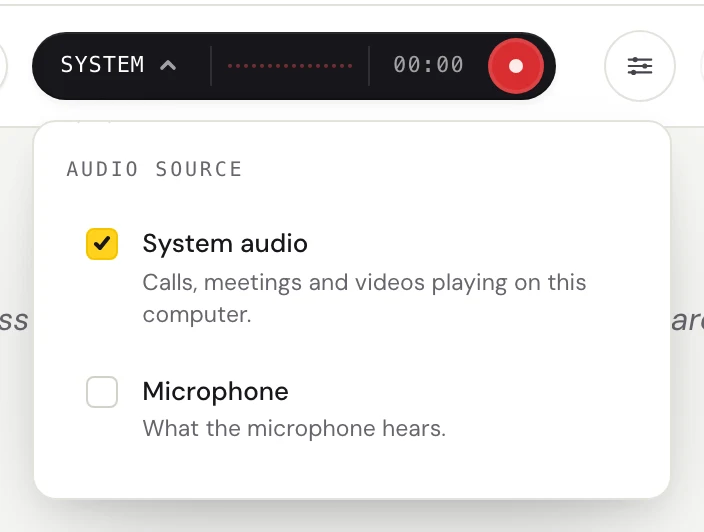
Click the dark audio pill and check System audio. Fraze then hears whatever your computer plays: a browser tab, a desktop player, a course site, a social feed.
Pick the spoken language and English
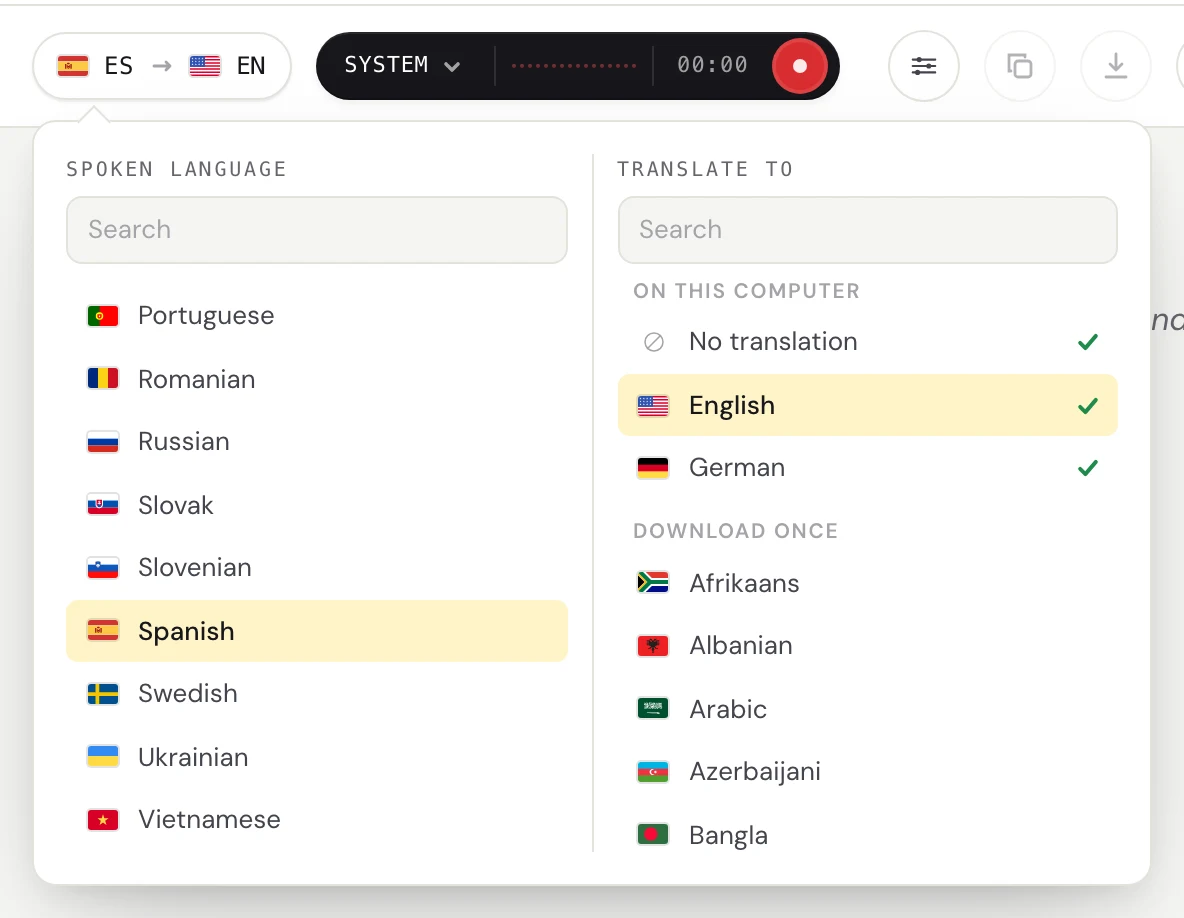
Click the language pill. Set Spoken language to the video's language and Translate to English. The first time, Fraze downloads that language once, and after that it needs no internet. Not sure what language it is? The free Audio language detector under Tools on this site will name it.
Press Start listening and play the video
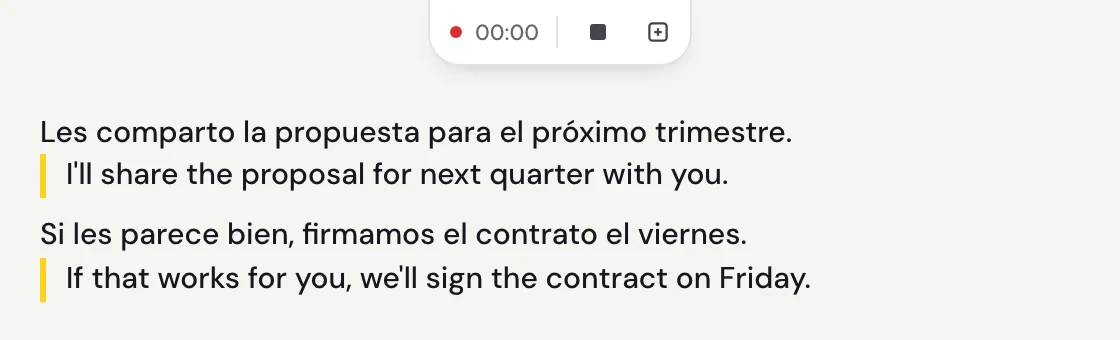
Each line appears a moment after the speaker pauses, with the English under it. The captions button opens a small window that floats over the video, so you can read without switching apps.
Keep the text if you want it
Fraze saves finished sessions in History on your computer. Copy a transcript or save it as text, to reread a lecture or look up a recipe later.
Why it runs on your computer
An upload site gets a copy of the whole video. That is fine for a clip you plan to publish, less so for a family video, a paid course or a recorded call. Fraze turns the speech into text and the text into English on your computer, and keeps the transcript there. Nothing is uploaded.
It also means a video saved on your laptop can be translated on a plane or with the Wi-Fi off, once the language is downloaded.
Which languages it can put into English
On both Mac and Windows, Fraze translates speech in 29 languages into English: Bulgarian, Cantonese, Chinese, Croatian, Czech, Danish, Dutch, Estonian, Finnish, French, German, Greek, Hungarian, Italian, Japanese, Korean, Latvian, Lithuanian, Polish, Portuguese, Romanian, Russian, Slovak, Slovenian, Spanish, Swedish, Thai, Ukrainian and Vietnamese. It also writes down Maltese, but cannot translate it.
Cantonese lines are written in Traditional Chinese characters.
It cannot hear Hindi, Arabic or many other languages. For those, look for a version with subtitles, or an upload site with a longer language list.
What to expect, honestly
- It works while the video plays. It does not open a video file, make a subtitle file or add subtitles to the video.
- It is text only. It does not dub the video or speak the English out loud.
- There is a delay. Lines land about half a second to a second after the speaker pauses.
- Machine translation is imperfect. Music under the voice, slang, names and people talking over each other are where it slips.
- It needs macOS 14 or later on Apple silicon, or Windows 11 on x64 with a 4-core AVX2 processor and 8 GB of memory. There is no phone app.
What it costs
The first 30 minutes are free, with no account and no card. After that it is $29.99 once or $2.99 a month, both unlimited. There is no per-minute charge, so a two-hour film costs the same as a short clip.
Questions
Can I translate a video to English for free?
Often, yes. YouTube's Auto-translate is free for videos with captions, Chrome's Live Translate is free for video in a Chrome tab, and Windows 11 Live Captions translate into English for free on a Copilot+ PC. Many upload sites let you try a short video free. Fraze is free for the first 30 minutes, then $29.99 once or $2.99 a month.
Can Google Translate translate a video?
Not from a file or a link. Google's help says its document translation takes .docx, .pdf, .pptx and .xlsx files. The Translate app on a phone can listen through the microphone with live translate, and Chrome's Live Translate can translate captions of a video playing in a Chrome tab.
How do I translate a Spanish video to English?
If it has Spanish subtitles, pick English in the player's subtitle menu, or Auto-translate on YouTube. If it has none, play it on your computer with Fraze set to Spanish and English, and the English appears under each Spanish line. The Spanish to English guide linked below covers calls and other audio too.
Can I translate a video on my phone?
On YouTube, yes. Google documents Auto-translate in the iPhone and Android apps, under Captions. On Instagram, a Reel plays translated if its creator used Meta AI translations. For anything else, the Google Translate app's live translate can listen through the microphone and show text. Fraze is a desktop app and does not run on phones.
Can Fraze make a subtitle file or dub the video?
No. It shows English text while the video plays, in its own window or a small floating captions window. Afterwards you can copy the transcript or save it as text from History. For a subtitle file or a dubbed copy, use an upload site.
Can it translate Hindi, Arabic or Korean videos?
Not Hindi or Arabic, because Fraze cannot hear them. Korean works on Mac and Windows, and so do Chinese and Japanese.
Does it work without internet?
Yes, once the video's language and English are downloaded. Speech recognition and translation both run on your computer, so a video saved on your laptop can be translated offline.