The short answer
On a phone, the Google Translate app listens and translates live. On a computer it does not: Google's help page says you can't talk and translate at the same time on Google Translate for the web. Chrome can translate captions of Spanish audio playing in a Chrome tab, and Windows 11 can translate it into English only on a Copilot+ PC.
Fraze is a Mac and Windows app that listens to whatever your computer plays, in any app, and writes the English line under each Spanish line. Speech recognition and translation both run on your computer. No audio or text is uploaded, and after the first language download it works with Wi-Fi off.
Expect about half a second to a second of delay after the speaker pauses, and text only. It also works the other way, English to Spanish.
Pick the tool by where the Spanish is coming from
| What it listens to | Spanish to English | Where it is translated | |
|---|---|---|---|
| Google Translate app | Speech near your phone | Yes, as text or out loud | Offline only on Pixel 9, 10 and 11, Google says |
| Google Translate website | Typed or pasted text | No live speech, Google says | |
| Chrome Live Caption | Media playing in Chrome | Yes, with Live Translate | Captions go to Google |
| Windows 11 Live Captions | Any audio on the PC | Copilot+ PCs only | Microsoft says on-device |
| macOS Live Captions | Any audio on the Mac | No | Not available |
| Fraze | Any audio on the computer, or the microphone | Yes, and English to Spanish | On your computer |
If the Spanish speaker is in the room with you, the phone app is the right tool and it is free. If the Spanish is coming out of your computer, the phone has to hear it through the speakers, and you end up reading a small screen beside a big one.
Translate Spanish audio to English with Fraze
Install Fraze
Download it for a Mac with Apple silicon on macOS 14 or later, or for Windows 11. No account is needed.
Choose what it listens to
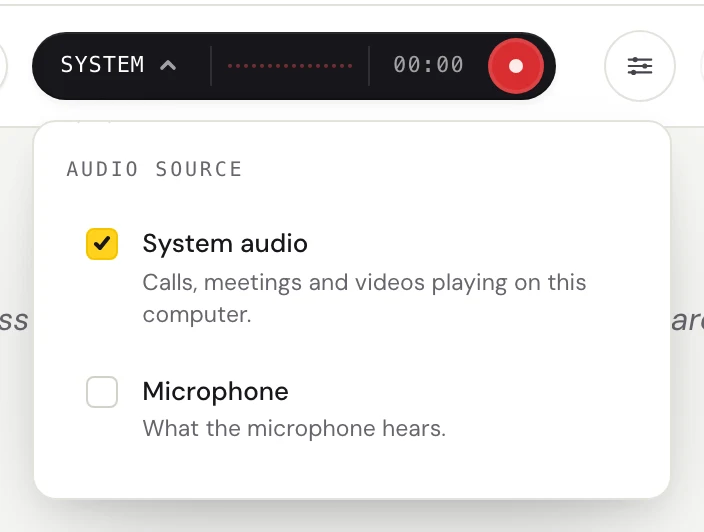
Click the dark audio pill. Check System audio for a call, a video or a stream playing on your computer. Check Microphone for someone speaking in the room, or both.
Pick Spanish and English
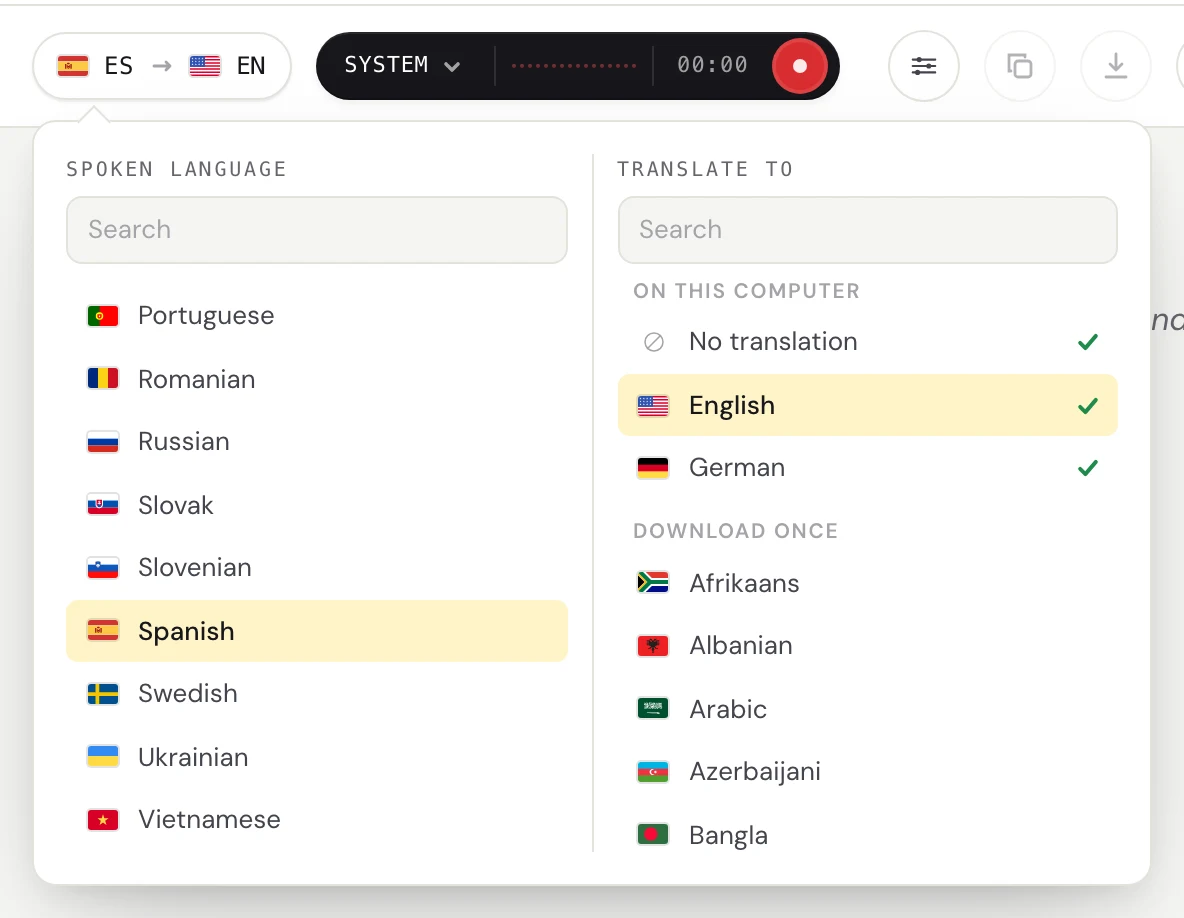
Click the language pill. Set Spoken language to Spanish and Translate to English. The first time, Fraze downloads the two language files, and after that it needs no internet.
Press record and play the audio
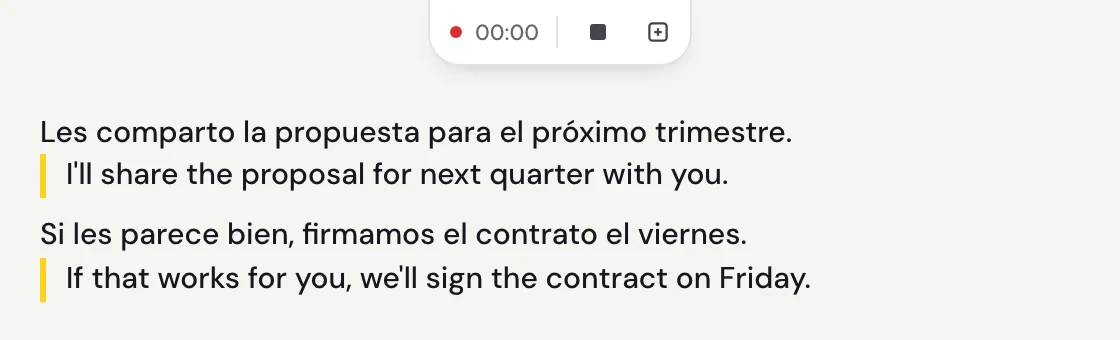
Each Spanish line appears a moment after the speaker pauses, with the English under it. The captions button turns Fraze into a small window that floats over the call or the video.
Where people use it
- A Zoom, Teams or Google Meet call with a Spanish-speaking client or colleague. No bot joins the call, because Fraze listens on your own computer.
- A telenovela, a news channel or a YouTube video with no English subtitles.
- A class, a church service or a webinar streamed in Spanish.
- A family video call on WhatsApp or FaceTime, read in English as it happens.
Why it runs on your computer
A call with a client or a doctor, or a family conversation, is not something everyone wants sent to a server to be translated. Fraze turns the Spanish into text and the text into English on your computer, and saves the transcript there too. Nothing is uploaded.
That also means it works on a plane, in a hotel with bad Wi-Fi, or with the network switched off, once the Spanish and English files are downloaded.
What to expect, honestly
- There is a delay. Lines land about half a second to a second after the speaker pauses, so fast back and forth reads slightly behind.
- Machine translation is imperfect. Slang, names, numbers and people talking over each other are where it slips.
- It is text only. It does not speak the English out loud, and there are no speaker labels.
- It is live only. To translate a Spanish audio file, play it on your computer and let Fraze listen.
- It needs macOS 14 or later on Apple silicon, or Windows 11 on x64 with a 4-core AVX2 processor and 8 GB of memory. There is no phone app.
What it costs
The first 30 minutes are free, with no account and no card. After that it is $29.99 once or $2.99 a month, both unlimited. Because the work happens on your computer, there is no per-minute charge, so a two-hour call costs the same as a short one.
Questions
Can Google Translate translate Spanish audio on a computer?
Not live. Google's help page says you can't talk and translate at the same time on Google Translate for the web, and points to the Translate app on a phone or tablet. On a computer, Chrome's Live Translate can translate captions of audio playing in Chrome.
Is there a free Spanish to English voice translator?
The Google Translate app on a phone is free. Chrome's Live Translate is free for audio in a Chrome tab, and Windows 11 Live Captions translate into English for free on a Copilot+ PC. Fraze gives the first 30 minutes free, then costs $29.99 once or $2.99 a month.
Does it work from English to Spanish too?
Yes. Set Spoken language to English and Translate to Spanish. Fraze translates about 50 languages to or from English.
Can I translate a Spanish audio or video file?
Yes, by playing it. Fraze listens to whatever your computer plays, so a file in any player works like a live stream. You cannot upload a file for it to process.
Does it work offline?
Yes, after the first download of the Spanish and English language files. Speech recognition and translation both run on your computer.
Can it speak the English translation out loud?
No. Fraze shows text. If you need a spoken translation of someone in the room, the Google Translate app on a phone can play it out loud.